
In today’s digital landscape, businesses require efficient and scalable networking solutions to handle growing traffic and ensure high availability. The HPE Load Balancer is designed to distribute incoming traffic across multiple servers, optimizing performance and preventing overload. Whether for cloud, on-premises, or hybrid environments, setting up an HPE Load Balancer is a crucial step in ensuring seamless application delivery. This guide will walk you through a step-by-step process to set up the HPE Load Balancer efficiently within minutes, minimizing downtime and maximizing network performance.
Preparing For HPE Load Balancer Deployment
Before setting up the HPE Load Balancer, it’s important to prepare the necessary hardware and software components. Follow these key preparation steps:
- Verify System Requirements – Ensure that your infrastructure meets HPE’s hardware and software prerequisites. The load balancer should be compatible with your servers and network topology.
- Choose the Deployment Type – Decide whether you need a hardware-based HPE Load Balancer (appliance) or a software-based virtual instance.
- Network Planning – Identify the backend servers that will receive traffic, define virtual IP addresses (VIPs), and plan firewall settings.
- Obtain Required Credentials – Ensure you have administrative access to configure the HPE Load Balancer and associated servers.
Once the preparation is complete, proceed to installation.
Installing HPE Load Balancer
Installation varies based on the type of load balancer being deployed. Here’s how to install both hardware and virtual editions:
Hardware Load Balancer Installation
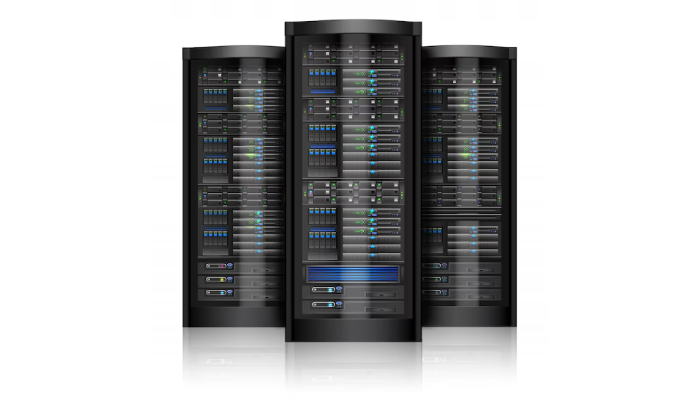
- Rack and Connect the Device – Mount the HPE Load Balancer appliance in the server rack and connect it to your network using Ethernet cables.
- Power On and Access the Interface – Boot the device and access its web-based configuration interface via a browser. Usually, HPE provides a default IP address for initial login.
- Perform Initial Configuration – Set up basic network settings such as IP address, subnet mask, and gateway.
- Update Firmware – Ensure the device is running the latest firmware for optimal security and performance.
Virtual Load Balancer Installation
- Deploy the Virtual Appliance – Download and install the HPE Virtual Load Balancer on a compatible hypervisor (VMware, Hyper-V, or KVM).
- Allocate Resources – Assign appropriate CPU, memory, and disk space based on workload requirements.
- Configure Networking – Set up network interfaces and assign a management IP for remote configuration.
- Access the Web Interface – Use a browser to log into the web-based management console and proceed with configuration.
Once installation is complete, move on to configuring traffic distribution.
Configuring Traffic Distribution
Proper configuration ensures that the HPE Load Balancer effectively manages incoming requests. Follow these steps:
- Define Virtual IPs (VIPs) – Create virtual IP addresses that will receive traffic and distribute it across backend servers.
- Add Backend Servers – Register the real servers that will process client requests. Assign their IP addresses and health check parameters.
- Set Load Balancing Algorithms – Choose the best algorithm for traffic distribution:
- Round Robin: Distributes requests evenly across servers.
- Least Connections: Sends traffic to the server with the fewest active connections.
- Weighted Load Balancing: Directs traffic based on server capacity and performance.
- Configure Health Checks – Set up automated health monitoring to detect server failures and reroute traffic if necessary.
- Enable SSL Offloading (Optional) – If handling HTTPS traffic, configure SSL certificates to offload encryption tasks from backend servers.
After setting up traffic distribution, it’s time to test and validate the configuration.
Testing And Validation
Before deploying the HPE Load Balancer in a live environment, run thorough tests to confirm its functionality:
- Ping and Connectivity Tests – Verify that the load balancer can communicate with backend servers.
- Failover Testing – Simulate a server failure to ensure traffic is automatically rerouted without downtime.
- Performance Benchmarking – Test load handling capabilities by generating simulated traffic.
- Security Checks – Validate firewall rules, SSL configurations, and access controls to prevent unauthorized access.
If all tests pass successfully, the load balancer is ready for production deployment.
Deploying In A Live Environment
Once testing is complete, deploy the HPE Load Balancer in a live production environment by following these best practices:
- Gradual Rollout: Initially deploy with a subset of traffic to monitor performance before full-scale implementation.
- Monitor in Real-Time: Use HPE’s monitoring tools to track load balancer health, traffic patterns, and potential anomalies.
- Set Up Alerts: Configure alerts for downtime, high traffic spikes, and security threats.
- Regular Maintenance: Periodically update firmware, review configurations, and optimize settings based on usage trends.
By carefully managing deployment, businesses can ensure smooth traffic handling and uninterrupted service.
Troubleshooting Common Issues
Even with a well-configured HPE Load Balancer, occasional issues may arise. Here’s how to troubleshoot common problems:
- Connectivity Issues: Check firewall rules, IP configurations, and backend server availability.
- Load Balancing Inefficiencies: Adjust algorithms and review server weights if traffic distribution appears unbalanced.
- SSL Errors: Ensure proper certificate installation and verify SSL/TLS settings.
- Performance Bottlenecks: Monitor CPU, memory, and network utilization. Upgrade resources if needed.
- Health Check Failures: Verify backend server health and adjust monitoring thresholds.
Conclusion
Setting up the HPE Load Balancer in minutes is achievable with proper planning and execution. By following the step-by-step guide outlined above, businesses can ensure smooth traffic distribution, enhance network performance, and improve application availability. From installation to deployment and troubleshooting, mastering the HPE Load Balancer enables IT teams to optimize infrastructure and deliver superior digital experiences. With the right approach, organizations can maximize the benefits of load balancing and scale their operations efficiently.
Resource URL:
https://en.wikipedia.org/wiki/Load_balancing_(computing)
https://www.edgenexus.io/products/load-balancer/platform/hpe-load-balancer/

